Faster startLonger focus.
A Mac app that opens your workspace in one click and
and proactively closes idle apps you're not using.
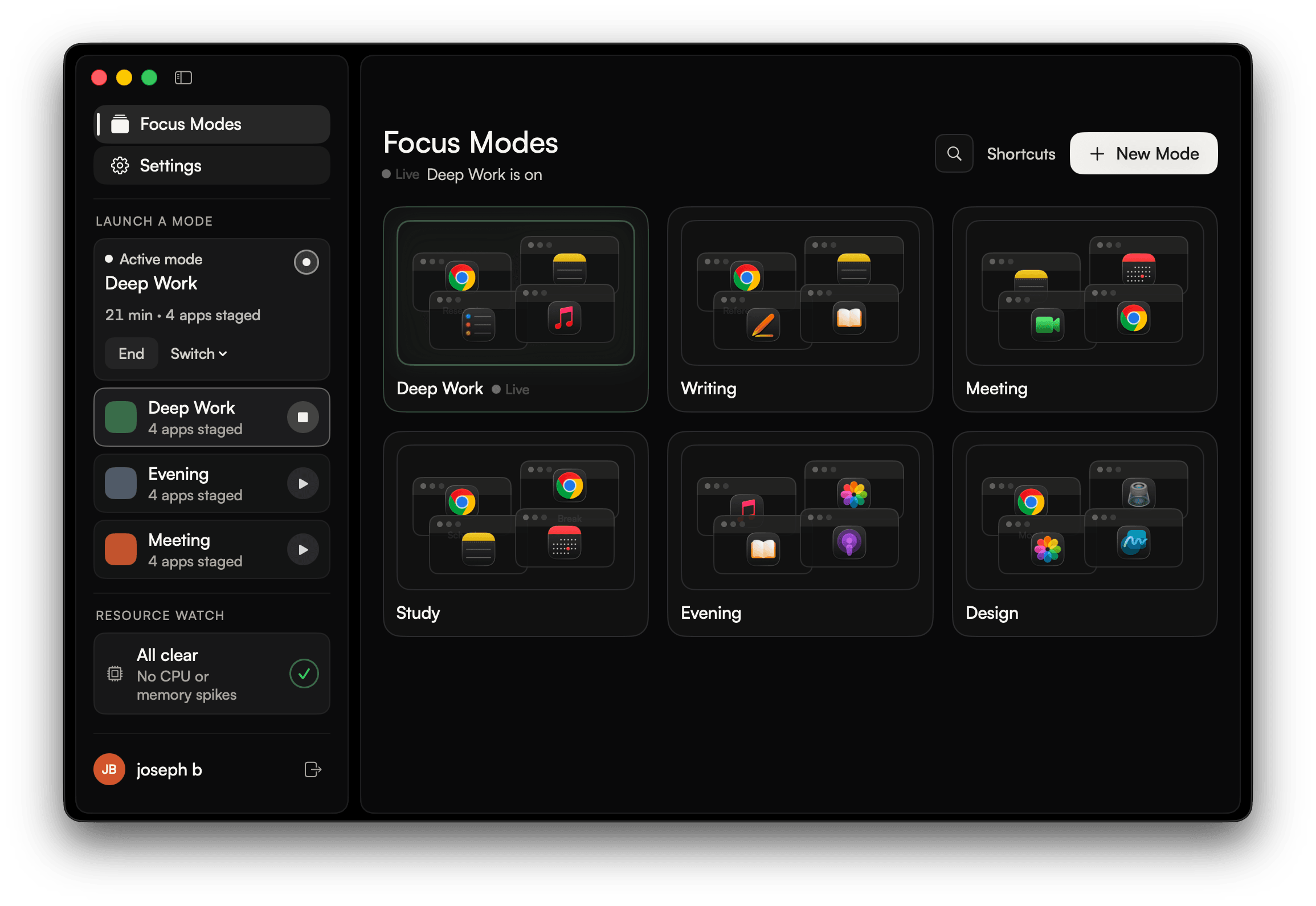
Every session you spend time openingthe same desktop apps.browser tabs.workspace files.
Opening each application individually slows down your entry into deep focus.
A quieter Mac, and a desk that's already open
You get into the work instead of setting the same windows up again.
Idle apps get
out of the way
The apps you forgot stop competing for the screen and for memory. When auto-close is on, they hide first, then quit after a delay you choose. It stays off until you turn it on.
Google Chrome
Tuesday outline
Call at four. Bring the second section.
Notes
Notes
Morning
Finish the outline…
Thursday
Morning
Finish the outline before we leave. The second section is still thin.
Keep the call notes in here, not the browser tab.
Reminders
Today
Ship the outline
Review Thursday
Hold the evening block
Music
Late Light
Focus mix
Cursor
Cursor
Straight into the work
Open a Session and the windows are already where you placed them. You are not lining the same apps up again.
Unsaved work stays safe
Amhara will not close an app that still has unsaved changes. It keeps it open, tells you, and leaves the close to you.

Amhara
now
Microsoft Word kept open
Unsaved changes detected. Save your work and close manually.
Open a Session with your voice
On-device. Say the Session to start it, or end the one that's running.
Listening
Less setup, every time you switch
The files, the tabs, and the meeting desk are already there when you are.
Distractions stay out
While a Session is on, apps that are not part of it can hide and quit, so the desk stays the one you set.
The meeting desk is ready
A Session can start from a keyboard shortcut, a schedule, or a matching calendar event, so you are not assembling it by hand.
Clear the screen in one key
Set a key to clear the clutter and snap your apps into an even layout, the same arrangement a Session uses.
The same files and sites, already open
Add project files and sites to a Session. They open in the apps you chose, so you are not hunting for yesterday's tabs.
Frequently Asked Questions
How a Session works, what stays open, and where your data stays.
View all FAQ(01)How does Amhara work?
You set up a Session once, with the apps, files, sites, and layout you want. Open it in one click. If you turn auto-close on, idle apps hide first, then quit after a delay you choose.
(02)What is a Session?
A named desk you configure once and open in one click. Amhara can close apps that are not part of it, open the apps, files, and sites you chose, and put the windows where you placed them. Start one from the menu bar, a shortcut, a schedule, or a matching calendar event.
(03)Will Amhara close an app I am working in?
Not if it still has unsaved work. Auto-close is off until you turn it on. When it is on, an idle app hides first, then quits after a delay you choose. If Amhara finds unsaved work, it keeps the app open and tells you, so you can save and close it yourself.
(04)Does Amhara collect or send my data?
No. The apps you use, your Session setups, and your window layouts stay on your Mac. There is no analytics, telemetry, or third-party tracking in the app. The only optional network path is signing in to manage beta access.
Join the waitlist
Stop wasting time rebuilding the same desk every session.